Why download the e999 app?
Sure, you can access any website from a mobile browser — but a dedicated app is a completely different experience. The e999 app loads faster than a browser, uses less data, and makes full use of every inch of your screen. It was built with Bangladesh's mobile internet conditions in mind.
On a mobile browser, pages can reload unexpectedly, connections can drop, and landscape gameplay can be awkward. The e999 app eliminates all of that — it stays stable in the background and your game session won't cut out mid-play.
The app also supports push notifications, so you'll be instantly alerted about new promotions, bonus offers, and tournaments — no need to check the site separately.
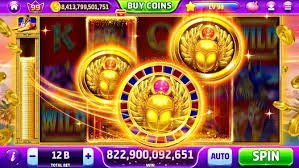
E999 App — The Full Gaming Experience on Mobile
How to install on Android
1
Go to the app page
Go to e999.bar, open the app page, and click the Android APK download button.
2
Enable Unknown Sources
Go to your phone's Settings > Security and enable "Unknown Sources" or "Install Unknown Apps".
3
Install the APK file
Open the downloaded APK file and tap "Install". The installation will complete within seconds.
4
Log In & Play
Once installed, open the app, log in with your e999 account, and start playing.
How to get started on iOS
IPhone and iPad users are well taken care of with e999. APKs can't be installed on iOS directly, but there are two ways to get a full e999 app-like experience.
Method 1: "Add to Home Screen" via Safari
Open e999.bar in Safari. Tap the Share button at the bottom and select "Add to Home Screen". The icon will be added to your home screen and will look and feel just like a native app. No separate download is needed for this method.
Method 2: TestFlight or Official iOS App
A native iOS app is also available for e999. Visit the e999 app page to find the iOS download link and install directly from there. The process is slightly different from Android, but the page walks you through it step by step.
Tip: The "Add to Home Screen" method on iOS is the simplest option and uses no extra storage. It works just like a native app.

E999 App Installation — A Simple Step-by-Step Guide
Key Features of the e999 App
Fast Load
Games load 2–3x faster than a browser
Push Notifications
Get instant updates on bonuses and offers
Secure Login
Fingerprint & Face Unlock Support
Offline cache
Smooth Performance Even on Weak Networks
Fullscreen Mode
Use full screen in-game
Auto-update
New features are added automatically
What games are available on the app?
The e999 app gives you access to every game available on the website — no restrictions. Slots, Live Casino, fish games, table games, e-sports betting — all in one place. The home screen features a clean navigation menu that lets you reach any game category in a single tap.
PG Soft's Fortune Dragon, Pragmatic Play's Sweet Bonanza, Evolution Gaming's Crazy Time — all these popular titles run very smoothly on the app. Live Casino games maintain excellent video quality because the app automatically adjusts resolution based on your network speed.
One standout feature of the e999 app is Favorites. Save the games you love and jump straight into them without searching every time. You'll also get notified whenever new games are added.

E999 App Game Lobby — All Games in One Place
App vs. mobile browser comparison
| Subject |
E999 App |
Mobile Browser |
| Loading Speed |
Much faster |
Medium |
| Push Notifications |
Yes |
None |
| Fullscreen Gaming |
Full |
Partial |
| Biometric Login |
Yes |
None |
| Performance on Weak Networks |
Good |
Average |
| Auto session restore |
Yes |
None |
| Data Usage |
Lower |
High |
How to make payments and withdrawals on the app
Deposits and withdrawals on the e999 app work just as easily as on the website. You can transact via Mobile Banking, Nagad, Rocket, and other popular mobile banking methods. Head to the Wallet section to check your balance and submit a withdrawal request at any time.
Take care when making payments through the app. Always transact from your registered number and keep a screenshot of the payment confirmation. If anything goes wrong, you can reach out directly via the in-app live support chat.
To withdraw your winnings, go to the "Withdraw" option in the app, select the amount and payment method. Funds typically arrive in your mobile wallet within a few minutes to a few hours.
Warning: Only download the e999 app from the official site, e999.bar. APKs from third-party sources may not be safe.
Why is it important to keep the app updated?
E999 regularly updates the app to add new features, improve security, and fix bugs. Some games may not work or you may experience login issues on older versions. The app will notify you when an update is available — it's best not to miss it.
Android users can enable auto-update in the settings — once it's turned on, you don't need to think about it again. The app will update on its own whenever your phone is charging and connected to Wi-Fi.

E999 App Payments & Withdrawals — Fast and Secure
What should you do if you run into issues with the app?
Sometimes after installation the app won't open properly or games fail to load. In most cases these issues are easy to fix. Start by restarting your phone. If the problem persists, uninstall the app and download a fresh copy.
If a game fails to load, check your internet connection. Live games may struggle on 3G or weak connections — in that case, try slots or fish games, which run on less bandwidth. The e999 app also has a "Low Data Mode" that reduces video quality slightly to save data.
For any technical issue, e999's 24/7 live support team is ready to help. There's a support icon at the bottom of the app — tap it to connect directly to live chat.
Play Responsibly
The e999 app being easy to use doesn't mean you have to spend more time or more money. The app includes a Responsible Gaming section where you can set a daily budget limit, a session timer, and temporarily pause your account if needed. e999 is designed with one thing in mind — gaming should be fun.
Please Note: The e999 app is not intended for users under 18. Please play responsibly and stay within your budget.
User Reviews
"Ever since I installed the e999 app, I've completely stopped using the browser. It runs so smoothly — honestly hard to believe it performs this well on mobile."
— Rakibul Hasan, Dhaka
"Playing on the Live Casino app is a whole different experience. The video quality is great and lag is practically nonexistent. Deposits and withdrawals via Mobile Banking are both straightforward."
— Sumaiya Akter, Chattogram
"I've added it to my Home Screen on iPhone and it feels exactly like a native app. No push notifications, but everything else is great."
— Tanvir Ahmed, Sylhet
"Took me just two minutes to install. I was a bit hesitant about Unknown Sources at first, but following the e999 guide made it completely painless."
— Monirul Islam, Rajshahi
Frequently Asked Questions (FAQ)
Yes, the e999 app is completely free to download. There are no download fees for either the Android APK or the iOS version.
The e999 app is approximately 30–40 MB in size, so it installs easily even on older phones or devices with limited storage.
The e999 app supports Android 6.0 and above, and iOS 12 and above. It runs smoothly even on phones with 2 GB RAM.
Yes, every game available on the website is also available in the app. Slots, Live Casino, fish games, table games — all categories are fully accessible in the app.
Yes, the e999 app supports deposits and withdrawals via all major mobile banking methods, including Mobile Banking, Nagad, and Rocket. The process is straightforward and usually completes within minutes.